
Host Verification
In order to become a host, you need to pass identity verification.
Go to:
Profile → Tap “Pass”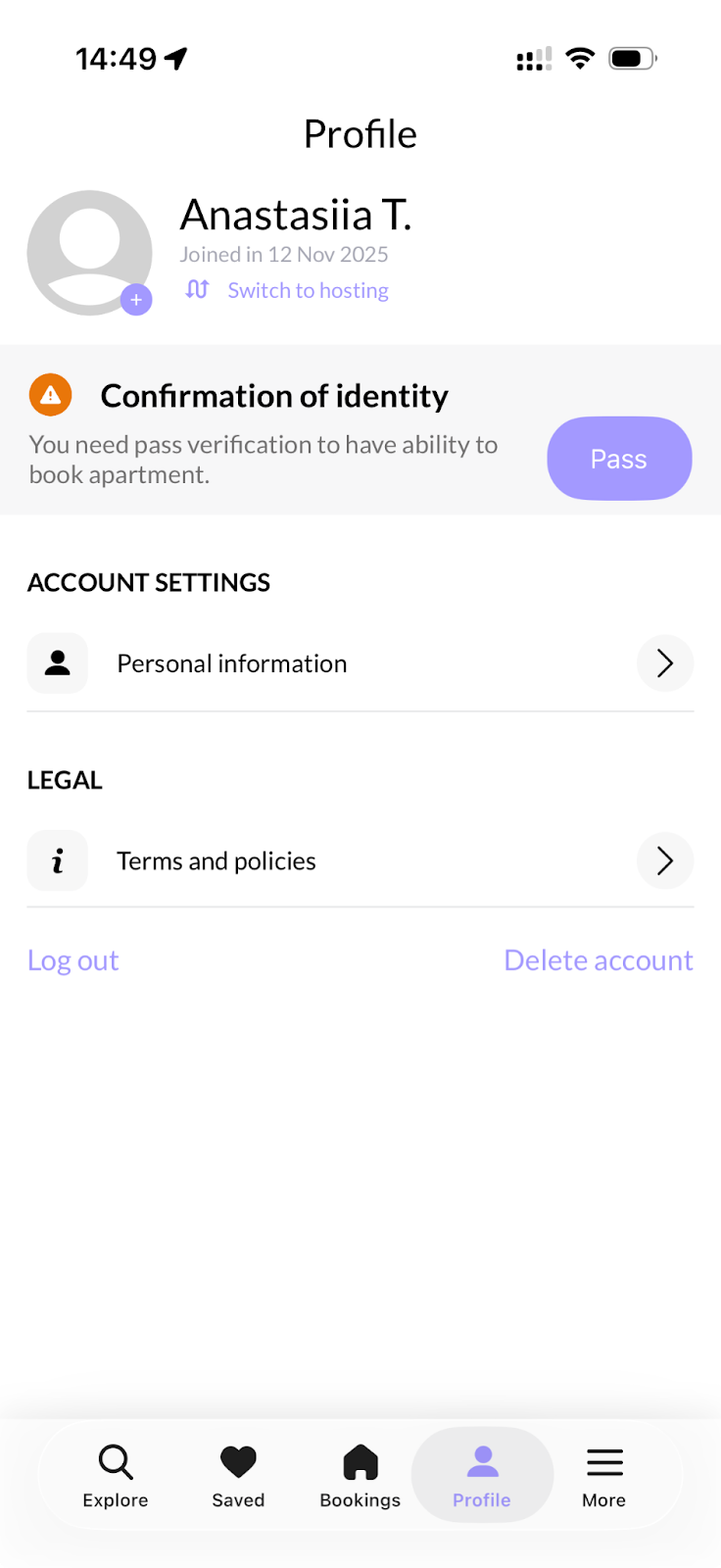
Personal Details
First, fill in your Personal Details.
First and Last Name
Enter your first and last name exactly as they appear on your identity document.
⚠️ Important:
-
If your document includes a middle name, you must add it to your profile.
-
If there is a typo or incorrect spelling/transcription and the names do not match, the verification will be rejected.
Email Address
If you haven’t added an email yet:
-
Enter a valid email address.
-
Confirm it via the confirmation email you will receive.
⚠️ You must confirm your email before continuing.
Date of Birth
Enter your birthday as shown on your document.
Gender
Optional.
Phone Number
Enter a valid phone number and confirm it using the code you receive.
Address
You must be a U.S. resident in order to become a host.
Enter your current residential address.
Emergency Contact
Optional, but recommended.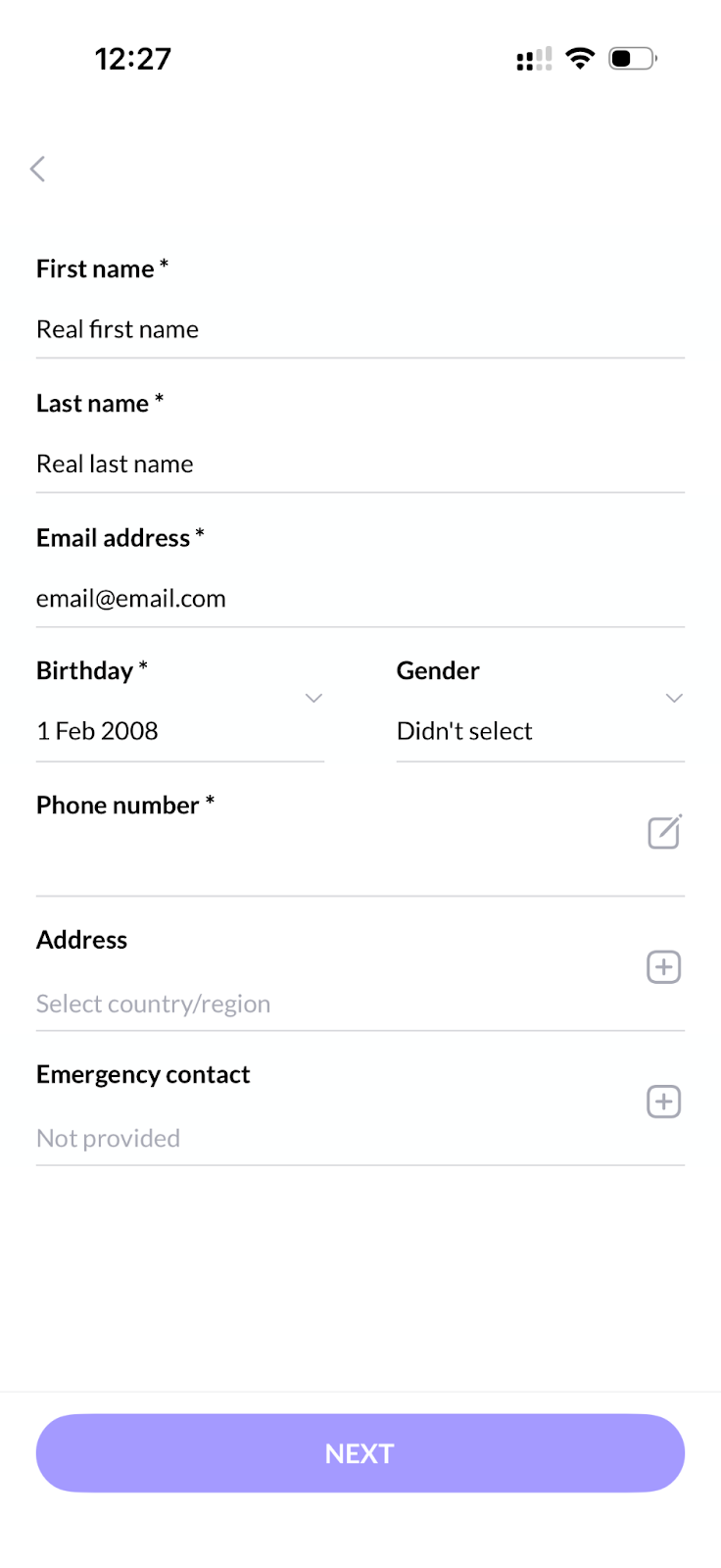
Start Verification
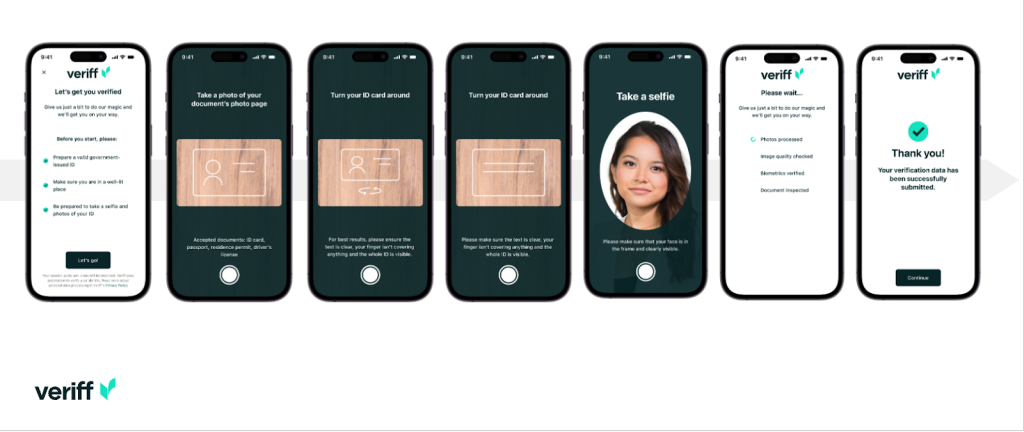
Start the verification process and allow the app to access your camera.
GROVESTAY does not store any personal information, documents, or photos.
All identity verification is securely handled by our verification partner, Veriff.
You will need to:
-
Take photos of your document (both sides)
-
Take a selfie
After Submission
After you pass the verification, some time may be required for processing.
Once approved, you will see a checkmark next to your name in the app.
You can then add a profile photo to complete your profile.
Possible Issues
Verification may be rejected for the following reasons:
-
Name mismatch
-
Poor-quality document photos
-
Unclear selfie
You will see the rejection reason directly in the app and can correct the issue and try again.